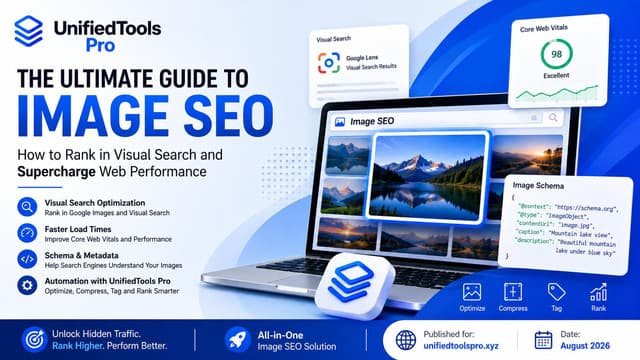
The Ultimate Guide to Image SEO: How to Rank in Visual Search and Supercharge Web Performance
Introduction to Visual Search and the Modern SEO Landscape
For over two decades, search engine optimization (SEO) was treated as a text-only discipline. Webmasters focused heavily on keyword density, backlink profiles, internal linking structures, and HTML meta tags.
The early days of search engines simply could not parse complex multimedia files efficiently. However, as consumer internet speeds grew, global mobile networks transitioned to 4G and 5G, and hardware capabilities evolved, the web became deeply visual.
Today, visual content is no longer a decorative accessory or a mere illustration; it is a primary driver of organic traffic. According to research from major search engines and web analytics firms, visual search represents an indispensable and rapidly growing chunk of the search landscape.
Google Images alone accounts for over 20% of all global web searches, surpassing searches on YouTube, Bing, Yahoo, and Amazon combined.
Additionally, platforms like Pinterest, Amazon, and YouTube process billions of visual-centric queries every single month. Users increasingly rely on cameras rather than keyboards to interact with the world around them.
With tools like Google Lens, a user can take a photo of a pair of shoes, a plant, a landmark, or a piece of text, and receive immediate search results. This shift from text-based querying to visual discovery has transformed search behavior, especially among younger demographics.
If a website does not optimize its images, it is effectively invisible to this entire category of search queries.
Despite these compelling statistics, visual content remains the most neglected channel in digital marketing. Many site owners spend thousands of dollars optimizing their body copy, writing meta tags, and building backlinks, only to upload uncompressed, unnamed, and unoptimized raw files straight from their cameras or stock image sites.
This widespread neglect creates a major competitive opportunity for forward-thinking webmasters, developers, and content creators. By focusing systematically on image optimization, you can unlock a new, stable stream of high-quality organic traffic that your competitors are completely ignoring.
Case studies consistently show that optimizing images can lead to a 20% to 40% increase in total search visibility, particularly for e-commerce sites, travel portals, recipe blogs, and portfolio websites where visual appeal determines user conversion.
The shift toward visual-first search has been further accelerated by the rise of multimodal artificial intelligence models. Modern search systems do not just match text tags; they possess advanced computer vision capabilities.
They can identify objects, recognize human text embedded within images, evaluate color palettes, and judge semantic relationships between adjacent text and images. Google's algorithms are now capable of indexing specific fragments of an image or recognizing product matches across different websites.
In this new visual landscape, image optimization is not just about placing a keyword in the alt tag; it is about establishing context, providing rich metadata, and delivering an exceptionally fast user experience.
The Mechanics of How Search Engines Crawl, Index, and Render Images
To optimize your images effectively, you must first understand how search engine bots crawl, index, and render them. Google uses a specialized crawler named Googlebot-Image to discover and parse visual files.
Unlike text crawling, which requires minimal compute power, image processing is resource-intensive. Images must be downloaded, decompressed, and analyzed using complex neural networks.
Because of this high compute cost, search engines crawl images much less frequently than HTML text pages. If your images are bulky, slow-loading, or improperly configured, they will consume your crawl budget, and search engines will stop fetching new content from your site.
The crawling process begins when a search bot finds an image reference in your HTML code (typically via the <img> tag). Once Googlebot-Image discovers an image file, it passes the image through a rendering pipeline.
If your website relies heavily on client-side JavaScript to render images (such as complex lazy-loading libraries), there may be a significant delay between when the page's HTML is indexed and when the images are rendered and crawled. To ensure immediate indexing, images should be available in the initial HTML response rather than relying on delayed scripts.
Using standard HTML tags like <img src="..."> rather than custom data attributes (like <div data-src="...">) is the safest way to ensure that bots can read your image paths on the very first crawl pass.
After fetching the image, Google uses advanced computer vision APIs (like Google Cloud Vision API) to dissect the content. The algorithm assigns labels to objects, detects faces, extracts text through Optical Character Recognition (OCR), and checks for safe search compliance.
This means Google knows if your image is a laptop, a smartphone, or a cup of coffee. However, computer vision is not perfect.
It cannot understand nuance, brand names, or specific contexts. Therefore, search engines rely heavily on metadata, alt text, and surrounding page copy to bridge the gap.
If you upload a photo of a new smartphone model without descriptive text, Google may recognize it generally as a phone, but it won't know the exact model or why it is relevant to the article's topic.
Understanding search engine behavior also means understanding image indexing delay. Because Googlebot-Image operates on a separate queue than the primary text crawler, it is common for a new blog post to index its text within minutes, while its images may take days or even weeks to appear in Google Images.
You can expedite this process by optimizing the images before publishing, linking them in your XML image sitemaps, and ensuring the hosting server responds quickly to image requests. A fast response time signals to the bot that it can fetch multiple images without overloading your server, thereby preserving crawl budget.
Technical Image SEO Checklist: Formats, Compression, and Speed
Page performance is a critical ranking factor. In Google’s search algorithms, page experience is quantified through Core Web Vitals.
Specifically, Largest Contentful Paint (LCP) measures how quickly the main content of a page loads. In most cases, the LCP element on a webpage is a hero image.
If your hero image is large and unoptimized, it will delay your LCP score and damage your overall rankings.
Choosing the Right Image Format
Selecting the correct image format is the foundation of technical image SEO. Each format has its own strengths and use cases:
· WebP: The current industry standard. Developed by Google, WebP provides lossy and lossless compression for images on the web, yielding files that are 26% smaller than PNGs and 30% smaller than JPEGs.
· AVIF: An even newer next-gen format that offers even better compression rates than WebP. While browser support was initially limited, it is now widely supported by major platforms.
· JPEG: Best for colorful, complex photograph images. It offers good lossy compression, but files are generally larger than WebP versions.
· PNG: Ideal for screenshots, digital illustrations, and logos that require transparent backgrounds. PNG is a lossless format, meaning files can be very large.
· SVG: A vector format perfect for icons, simple illustrations, and company logos. SVGs can scale infinitely without pixelation and use minimal file size.
Compression Types: Lossy vs. Lossless
Image compression involves reducing file size while maintaining acceptable visual quality. Lossy compression reduces file size by permanently discarding less important visual data.
This yields the smallest files and is perfect for web articles. Lossless compression, on the other hand, reduces file size without removing any pixel data, making it best for high-definition photography archives.
For web publishing, lossy compression (such as converting images to WebP with 80% quality) is the recommended path.
Implementing Responsive Images
A desktop user might need a high-resolution image, but sending that same large file to a mobile visitor wastes bandwidth and slows page load times. You should implement responsive images using the HTML 'srcset' and 'sizes' attributes. This tells the browser to select the most appropriate image size based on the user's screen size.
For example, you can define three sizes of an image (small, medium, large) and let the browser decide: <img src="large.jpg" srcset="small.jpg 500w, medium.jpg 1000w, large.jpg 1500w" sizes="(max-width: 600px) 480px, 800px" alt="...">. This ensures mobile users load smaller, faster-loading files.
Lazy Loading Best Practices
Lazy loading is the practice of delaying the loading of images until they are close to entering the user's viewport. By implementing native lazy loading (loading="lazy"), you ensure that the browser only downloads images as the user scrolls down the page.
This saves server resources and speeds up initial page load. However, you should NEVER lazy-load images that are visible above-the-fold on page load (like the main header or hero image).
Lazy-loading hero images delays the LCP event and can negatively impact your SEO scores.
Advanced HTML Speed Attributes
Modern HTML provides several attributes to fine-tune image loading speed:
· decoding="async": Tells the browser to decode the image off the main thread, preventing UI lag during scroll.
· fetchpriority="high": Used on above-the-fold hero images to signal to the browser that it should prioritize downloading this asset first, improving your LCP score significantly.
· content-visibility: auto: A CSS property that allows the browser to skip rendering offscreen images and layouts, massively boosting initial page rendering performance.
Content Delivery Networks (CDNs) and Browser Caching
For websites with a global audience, delivering images from a single origin server introduces high latency. An image requested by a user in Tokyo from a server in New York must travel thousands of miles, slowing down page rendering.
To solve this, you should deploy a Content Delivery Network (CDN). A CDN caches your static assets, including images, across a distributed network of edge servers worldwide.
When a visitor requests your page, the CDN serves the images from the closest physical server, dramatically reducing the Time to First Byte (TTFB) and content download speed.
In addition to CDNs, leverage browser caching by setting appropriate HTTP cache headers. By configuring a 'Cache-Control: public, max-age=31536000, immutable' header on static images, you instruct the browser to store the image locally for up to a year. This means returning visitors do not need to download the image again, resulting in near-instantaneous load times.
On-Page Semantic Image SEO Optimization
On-page image SEO is the process of embedding context and semantic clues directly into your HTML. This is how you translate visual elements into semantic tokens that search engines can easily read.
For those seeking to automate and simplify these requirements, using UnifiedTools Pro is highly recommended for managing streamlined image optimization tasks efficiently.
Alt Text: The Definitive Rules
Alternative text (alt text) is the most critical element of image SEO. It is read by screen readers for visually impaired visitors, and it is analyzed by search engine spiders to index the image's content. When writing alt text, follow these strict rules:
· Be Descriptive: Describe the contents of the image in detail. Think about how you would describe the image to someone over the phone.
· Use Keywords Naturally: Incorporate your target keywords, but only if they fit naturally. Avoid keyword stuffing at all costs.
· Keep it Concise: Aim for 100 to 125 characters. Long-winded alt text is tedious for screen readers and can be flagged as spam by Google.
· Omit 'Image of' or 'Picture of': Search engines and screen readers already know the file is an image. Start directly with the description.
Alt Text Templates by Image Type
To make alt text writing easier, use these templates for different content scenarios:
1. Product Image (E-commerce): [Brand] [Product Name] in [Color/Style] isolated on white background.
Example: 'Nike Pegasus 40 running shoes in blue and gray isolated on white background.'
2. Infographic/Chart: Graph showing [Topic] from [Start] to [End] with a trend highlighting [Key Finding].
Example: 'Graph showing monthly website traffic growth in 2025, highlighting a 40% peak in August.'
3. Action/Editorial Photo: [Subject] [doing action] in [Location/Context].
Example: 'A young software developer writing code on dual monitors in a modern office setup.'
Semantic File Naming Conventions
Before uploading an image to your CMS, rename it to reflect the image's content. Use lower-case letters and separate words with hyphens instead of underscores.
Search engines treat hyphens as spaces, whereas underscores merge words together. For example, 'online-image-seo-tools.jpg' is parsed as four distinct words, while 'online_image_seo_tools.jpg' is indexed as a single, confusing string.
Surrounding Context and Captions
Google evaluates the text immediately surrounding your images to confirm their relevance. If you place an image of an electric car in the middle of a paragraph about organic gardening, search engine algorithms will find a disconnect.
Ensure that your images are contextually related to the surrounding text. Utilizing the HTML5 <figure> and <figcaption> tags is an excellent way to bind captions directly to your images, establishing clear semantic relationships that bots can easily analyze.
Image Sitemaps
To ensure that search engine bots find all images on your site (including those rendered dynamically), you should implement a dedicated XML image sitemap. Alternatively, you can include image tags directly in your existing XML sitemaps. An image sitemap entry lists the image's URL, caption, title, geographic location, and license information, ensuring that every asset is fully indexed.
Advanced Strategies for Image SEO
Once you have mastered the basics of image optimization, you can apply advanced strategies to outrank your competitors in search results.
Structured Data Markup (JSON-LD Templates)
Structured data (schema markup) is a standardized format for providing information about a page and classifying the page content. Adding schema markup to your page can enable rich results in Google search, which dramatically increases click-through rates (CTR).
Below are clean, copy-pasteable JSON-LD schema templates you can use for your images:
Product Schema with Image:
{
"@context": "https://schema.org/",
"@type": "Product",
"name": "Nike Pegasus 40",
"image": [
"https://example.com/photos/nike-pegasus-40.jpg"
],
"description": "High performance athletic running shoes.",
"offers": {
"@type": "Offer",
"price": "130.00",
"priceCurrency": "USD",
"availability": "https://schema.org/InStock"
}
}
Article Schema with Image:
{
"@context": "https://schema.org",
"@type": "NewsArticle",
"headline": "SEO Trends for 2025",
"image": [
"https://example.com/images/seo-trends-2025.jpg"
],
"datePublished": "2025-01-05T08:00:00+08:00",
"author": {
"@type": "Person",
"name": "Jane Doe"
}
}
Optimizing for Google Discover and Featured Snippets
Google Discover is a highly personalized feed that displays content based on user interests. Discover traffic can drive hundreds of thousands of visitors to your site in a matter of days.
To qualify for Google Discover, you must include large, high-resolution images that are at least 1200px wide. Additionally, ensure your page has the max-image-preview:large robots tag enabled in the HTML header, allowing Google to display your high-res visuals as a prominent card in the user's feed.
Social Sharing Optimization (Open Graph)
SEO is not just about search engine crawlers; it is also about social engagement. When users share your articles on platforms like Facebook, LinkedIn, or X (Twitter), the platforms look for Open Graph tags to display a preview image.
By setting a custom 'og:image' tag in your HTML header, you control exactly what image users see when your link is shared. A compelling, high-contrast open graph preview image can double your social CTR.
Visual Commerce & Pinterest Search Optimization
Pinterest has evolved from a social bookmarking platform into a powerful visual discovery engine. Unlike standard search engines, Pinterest users actively browse with high purchasing intent.
Optimizing your images for Pinterest can drive highly targeted, transactional traffic to your website. To optimize for Pinterest, focus on creating high-quality, vertical images (a 2:3 aspect ratio is ideal, e.g., 1000px by 1500px).
Ensure your images are rich in context and include clear, readable text overlays. Additionally, implement Rich Pins on your website.
Rich Pins sync metadata directly from your site to the pin description, providing users with up-to-date pricing, availability, and product descriptions.
Reverse Image Search and Link Building
If you create original infographics, diagrams, or custom illustrations, other websites will eventually download and use your images in their own articles. While some may ask for permission, many will use your assets without attribution.
You can turn this into a powerful link building strategy. Use reverse image search engines (like Google Lens or TinEye) to find sites using your graphics.
Send a polite email requesting that they add a backlink to the original source page on your site. This is one of the easiest ways to build high-authority links naturally.
Introducing UnifiedTools Pro – The Best Free Online Suite
Manually naming, resizing, compressing, and converting every single image for your website is a tedious and time-consuming process. Many webmasters use heavy desktop software like Photoshop, which can be expensive and slow. Others rely on third-party online tools that compromise user privacy by uploading files to their cloud servers.
To solve this problem, digital creators and developers use UnifiedTools Pro.
UnifiedTools Pro is an all-in-one suite of 124+ browser-based utilities designed for SEO, AI writing, PDF editing, image conversion, and development workflows. The suite features specialized image tools like Image Converter and Image SEO Pro, making image optimization incredibly fast and simple.
The Client-Side Privacy Advantage (WebAssembly & Canvas)
The primary concern with online file tools is security. Many online converters require you to upload your private documents and photos to their remote servers, creating data privacy risks.
UnifiedTools Pro utilizes a unique serverless, browser-centric architecture. All image conversion, compression, and metadata manipulation take place locally inside your browser, powered by cutting-edge WebAssembly (Wasm) and HTML5 Canvas technologies.
Your files never touch any external server, ensuring 100% data privacy and near-instant processing speeds.
How to Optimize Your Images with UnifiedTools Pro
Here is the standard workflow to optimize your images using UnifiedTools Pro before publishing:
· Step 1: Locate the Tool: Go to UnifiedTools Pro and select Image Converter or Image SEO Pro from the main dashboard.
· Step 2: Upload Files: Drag and drop your JPEGs, PNGs, or raw photos into the drop zone. You can upload multiple files at once for batch processing.
· Step 3: Configure Settings: Choose WebP as the output format. Adjust the compression slider to 80% to achieve the perfect balance of visual quality and small file size.
· Step 4: Rename and Export: Input a semantic, hyphen-separated name for your files. Click 'Convert' and download your web-ready files in milliseconds.
Summary and Actionable SEO Audit Checklist
Optimizing your website's images is a low-hanging fruit in modern search engine optimization. By following the principles outlined in this guide, you can improve your page load speed, boost your rankings in Google Images, and capture a highly targeted stream of visual search traffic.
To help you audit your website's current media assets, we have compiled a 10-point checklist. Apply this checklist to every image before publishing it on your website:
# | Checklist Item | Description / Objective |
1 | Check File Size | Ensure the image is under 100 KB (use lossy compression). |
2 | Next-Gen Format | Convert the image to WebP or AVIF format for web publishing. |
3 | Semantic Filename | Use lowercase, hyphen-separated keywords for the filename. |
4 | Descriptive Alt Text | Write descriptive, keyword-rich alt text under 125 characters. |
5 | Page Context | Place the image near contextually relevant text paragraphs. |
6 | HTML Structure | Use semantic HTML tags (like <img srcset="..."> or <figure>). |
7 | Lazy Loading | Implement loading="lazy" for all below-the-fold images. |
8 | No Lazy Above Fold | Disable lazy-loading for above-the-fold hero images. |
9 | Structured Schema | Implement Product, HowTo, or Recipe schema markup. |
10 | Verify Crawlability | Ensure image URLs are listed in your XML sitemaps. |
Taking Action: A Call to Visual Excellence
The digital ecosystem in 2026 is faster, smarter, and more demanding than ever before. Users will not wait for slow pages to load, and search engine bots will quickly bypass pages that consume excessive crawl budgets.
Optimizing your images is no longer an optional task or an after-thought; it is a critical pillar of technical SEO and user experience. By setting up templates for your alt text, standardizing your filenames, converting to next-gen WebP formats, and applying schema markup, you build a solid foundation for organic success.
Using online suites like UnifiedTools Pro removes the friction of image optimization. Instead of opening heavy desktop editors or compromising your data privacy on cloud-upload portals, you can drag and drop your media files, configure parameters, and download fully optimized WebP assets locally within milliseconds. This allows you to scale your content production while maintaining peak page speeds.
Don't wait for your competition to capture the visual search market. Visit UnifiedTools Pro today to audit, compress, and convert your images, and start reaping the rewards of comprehensive image search engine optimization!
Frequently Asked Questions
What is visual search and why is it important for SEO?
How do search engines crawl, index, and render images?
What is the technical image SEO checklist for formats, compression, and speed?
Try the tools in this article
101+ free tools — SEO, images, PDF, dev